(Pro) Placeholders let you write one email template that personalises itself for every learner. Type a placeholder into your subject or message and it’s replaced with that record’s details when the email is sent.
Available placeholders
| Placeholder | Replaced with |
|---|---|
| {name} | The learner’s name |
| {course_name} | The course name |
| {issue_date} | The date the certificate is issued |
| {authentication_code} | The authentication code |
| {verify_link} | A direct link to verify the certificate |
| {site_name} | Your site’s name |
Example message
Hi {name},
Congratulations on completing {course_name}!
Your authentication code is {authentication_code}. You can verify your
certificate at any time here: {verify_link}
Best wishes,
{site_name}
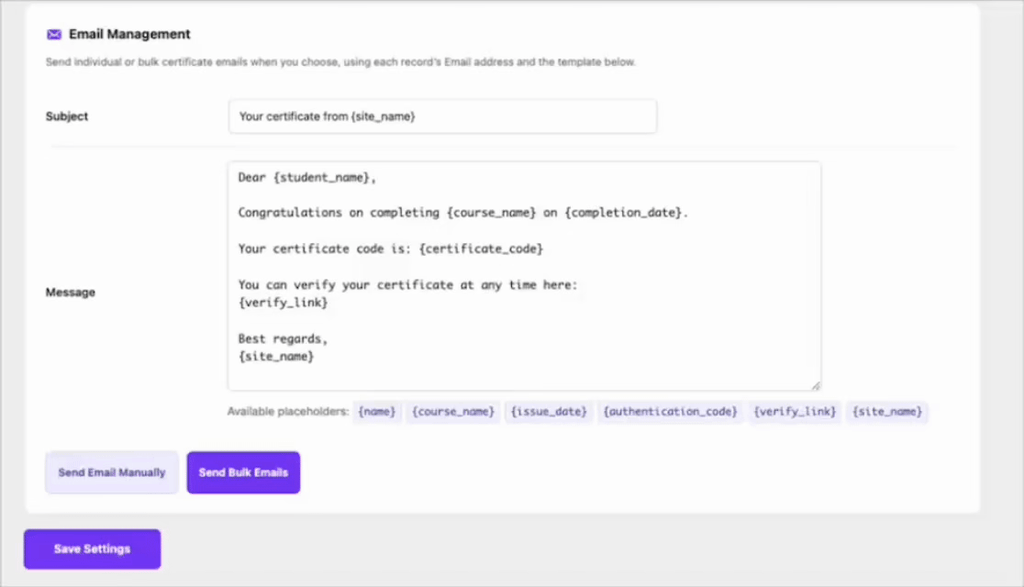
When this is sent, each learner receives a message with their own name, course, code and verification link filled in automatically.
Tip: Always include {verify_link} — it gives the learner (and any employer they forward it to) a one-click way to confirm the certificate is genuine.


