(Pro) When you need to change the same thing across many certificates — say, set an expiry date on a whole cohort — bulk editing does it in one action instead of one record at a time.
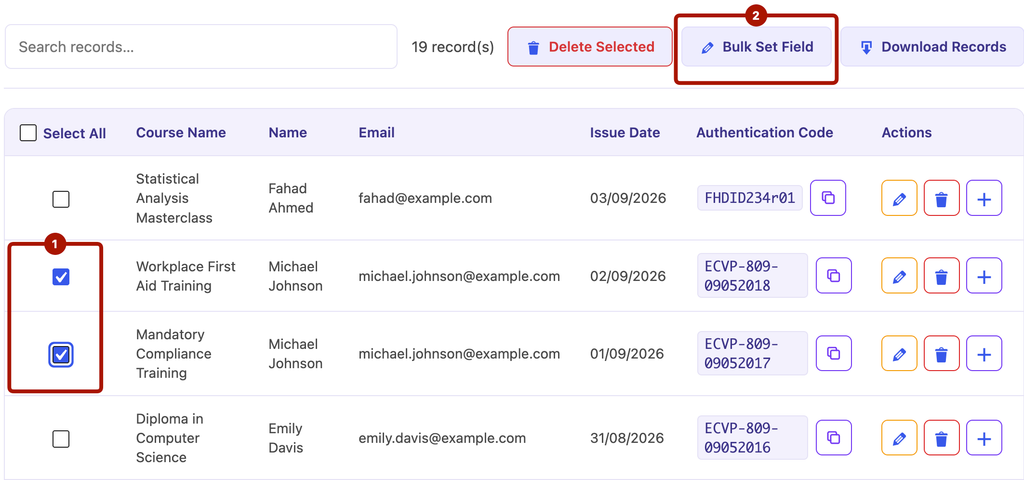
- Go to the Manage Data tab.
- Tick the checkboxes next to the records you want to change (or select all).
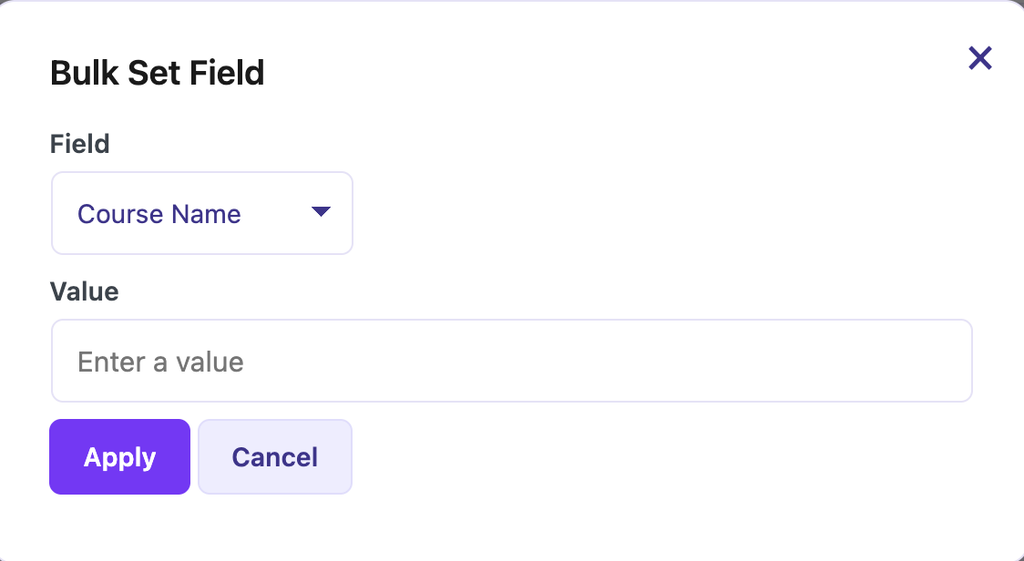
- Choose a bulk action and the value to apply.
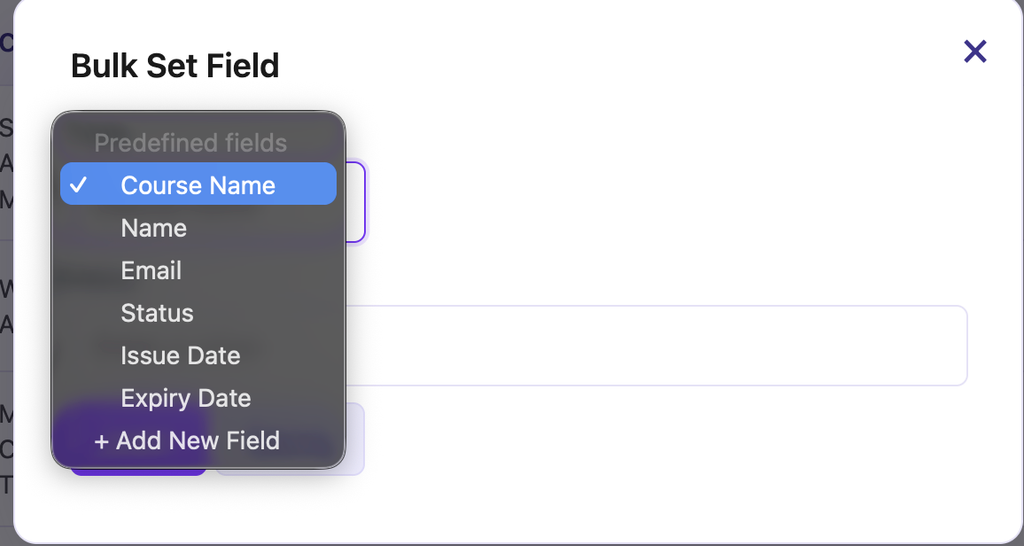
You can bulk-set:
- Expiry date
- Certificate status (valid, revoked or suspended)
- Student Email
- Custom field values
You can also bulk delete selected records from the same menu. Deletion is permanent, so double-check your selection first — exporting a backup beforehand is a sensible habit.


