Online learning, professional training, and digital credentials have transformed how people gain and demonstrate new skills. From short online courses to industry certifications, millions of learners now rely on certificates to prove their knowledge, improve career opportunities, and showcase professional development.
As the use of digital credentials continues to grow, organisations face a new challenge: ensuring that certificates can be trusted and easily verified. A certificate is only valuable when learners, employers, and other organisations can confirm that it was genuinely issued and accurately represents the achievement.
Traditional PDF-only certificates often create verification problems. They can be copied, edited, or shared without permission, while manual verification through emails or phone calls can be slow and difficult to manage, especially for organisations issuing large numbers of certificates.
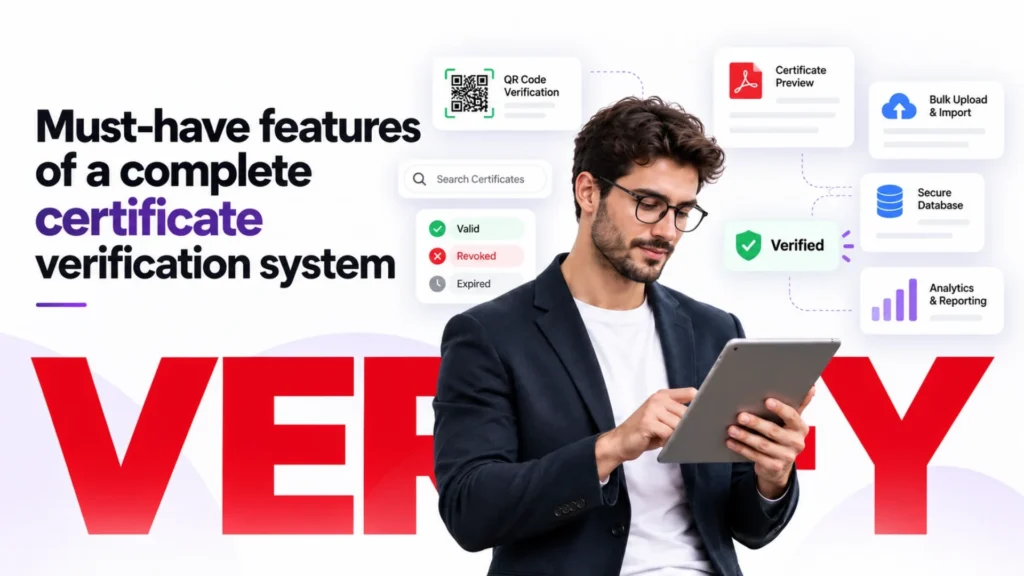
This is why choosing the must-have features of a complete certificate verification system has become essential for modern education providers and certification organisations. A reliable system should do more than create certificates; it should securely issue, store, manage, and verify credentials through an accessible verification process.
What Is a Certificate Verification System?
A certificate verification system is a platform that allows organisations to create, manage, store, and verify digital credentials. It connects issued certificates with official records, allowing learners, employers, and other third parties to confirm whether a certificate is genuine.
International standards such as the W3C Verifiable Credentials framework describe digital credentials as machine-verifiable credentials that allow information issued by an organisation to be checked securely by another party.
Unlike a simple PDF certificate, a verification system creates a reliable connection between the certificate and the issuing organisation’s database. This makes it easier to check important details such as who received the certificate, which course was completed, and when it was issued.
A complete certificate verification platform supports both the certificate creation process and the verification process, helping organisations maintain trust in their credentials.
Certificate Issuing: Creating and Providing Certificates
Certificate issuing is the process of creating and delivering a certificate after a learner meets the required criteria.
This may include:
- Completing a course or training programme
- Passing required assessments
- Meeting attendance or participation requirements
- Generating the final certificate document
During issuing, the organisation records important information such as:
- Learner name
- Course or qualification title
- Completion date
- Certificate ID
- Issuing organisation details
A certificate verification system can automate this process, reducing manual work and improving accuracy when creating large numbers of certificates.
Certificate Verification: Confirming Certificates Are Genuine
Certificate verification is the process of checking whether a certificate is authentic and matches the official records of the issuing organisation.
Instead of simply trusting a document provided by a learner, employers or other third parties can verify the credential through an official system.
A verification process may include:
- Entering a certificate ID into a verification page
- Opening a secure verification URL
- Scanning a QR code
- Comparing certificate details with digital records
This allows users to confirm that the certificate was genuinely issued and has not been altered or misused.
For WordPress-based course providers, a WordPress certificate verification plugin can add certificate creation and verification features directly to a website.
Key Elements of a Certificate Verification System
Certificate ID
A certificate ID is a unique identifier assigned to each certificate. It acts as a reference number that links the certificate to its official record.
Certificate IDs help:
- Prevent duplicate certificates
- Make searches easier
- Connect certificates with learner records
- Support faster verification
Verification Page
A verification page allows anyone with permission to check certificate information online.
A typical verification page may display:
- Certificate holder name
- Course completed
- Issue date
- Certificate status
- Issuing organisation
This removes the need for employers to contact providers manually for every verification request.
WordPress course providers can create verification pages that allow learners and employers to confirm certificate authenticity directly from their own websites using Edutain Certificate Validator.
QR Code Verification
QR codes provide a quick way to access certificate records.
When a QR code is scanned, it can direct users to the certificate verification page where they can confirm authenticity.
Benefits include:
- Faster mobile verification
- Easier employer checks
- Convenient access to certificate records
However, a QR code is only effective when it connects to a secure verification system containing accurate records.
Digital Records
Digital records are the foundation of a reliable certificate verification system. They store information about issued credentials and allow organisations to maintain accurate certificate histories.
These records can include:
- Learner information
- Certificate details
- Issue dates
- Verification history
- Certificate status
A complete certificate verification system combines certificate issuing, secure record management, and easy verification tools to create trusted digital credentials. For organisations that issue online certificates, a reliable certificate verification platform helps protect authenticity, reduce fraud, and make achievements easier to confirm.
10 Must-Have Features of a Complete Certificate Verification System
A complete certificate verification system should do more than generate certificates. It should help organisations issue, store, manage, secure, and verify credentials easily.
The best systems combine certificate management, fraud prevention, automation, and simple verification for learners and employers.
1. Unique Certificate IDs and Identification Numbers
Every certificate should have a unique identifier connected to the organisation’s official records.
A certificate ID works like a reference number that allows users to confirm whether a certificate is genuine.
A unique certificate identifier helps organisations:
- Link certificates to official records
- Prevent duplicate certificates
- Quickly search certificate information
- Help employers verify credentials
Without a certificate ID, it becomes much harder to confirm whether a certificate belongs to the correct learner.
2. Public Certificate Verification Portal
A complete certificate verification system should provide a public verification portal where employers and learners can check certificates online.
The portal should allow users to:
- Search certificates
- Enter certificate IDs
- View verification results
- Confirm certificate details
Benefits:
- Employers can verify credentials quickly
- Learners can share trusted certificates
- Organisations receive fewer manual verification requests
A public verification page makes certificates easier to trust because verification does not depend only on a PDF file.
3. QR Code Certificate Verification
QR codes make certificate checking faster by connecting certificates directly to online verification pages.
When scanned, a QR code should take users to the official certificate record.
QR code verification provides:
- Mobile certificate checking
- Faster employer verification
- Easy access to certificate records
- Convenient credential sharing
However, QR codes should always connect to secure verification records. A QR code itself does not prevent fraud if it only links to an editable document.
4. Secure Certificate Database and Record Management
A certificate verification system needs a secure database to store credential information.
The database should maintain records such as:
- Learner name
- Course name
- Completion date
- Certificate ID
- Issue history
- Certificate status
A secure certificate database helps organisations:
- Track issued certificates
- Manage large numbers of credentials
- Respond to verification requests
- Maintain accurate records
5. Automated Certificate Issuing
A complete system should automatically create certificates when learners complete required conditions.
Automation can include:
- Course completion triggers
- Assessment-based issuing
- Automatic certificate generation
- Email delivery
Benefits:
- Reduces manual errors
- Saves administrative time
- Provides faster certificate delivery
- Supports large-scale training
6. Bulk Certificate Creation and Import
Large organisations need the ability to create many certificates at once.
Bulk certificate features allow:
- CSV certificate import
- Multiple certificate generation
- Large learner database management
Useful for:
- Universities
- Online course providers
- Corporate training programmes
This reduces repetitive manual work and improves efficiency.
7. Certificate Status Management and Revocation
A professional system should allow organisations to control certificate status after issuing.
Important controls include:
- Active certificates
- Expired certificates
- Revoked certificates
- Reissued certificates
This helps organisations:
- Prevent misuse of invalid credentials
- Maintain accurate certificate history
- Correct mistakes safely
8. Secure Digital Records and Fraud Protection
A complete verification system should protect certificate information from unauthorised changes.
Security features include:
- Protected certificate records
- Access controls
- Data protection
- Tamper-resistant information
These features improve certificate authenticity and make fake certificates harder to use.
A verification system does not remove all fraud, but it creates stronger protection than simple PDF certificates.
9. Employer-Friendly Verification Process
Certificate verification should be simple for employers.
A good system allows employers to:
- Search certificates easily
- Confirm learner information
- Check course details
- View certificate status
A simple verification process improves trust and helps employers make faster recruitment decisions.
10. Integration With Existing Learning Platforms
A complete certificate verification system should work with existing education platforms.
Important integrations include:
- LMS integration
- WordPress integration
- API connections
- Automated workflows
For WordPress-based course providers, a WordPress certificate verification plugin can add certificate creation and verification features directly to a website.
WordPress course providers can use Edutain Certificate Validator to create verification pages, manage certificate records, and allow learners and employers to confirm certificate authenticity directly from their websites.
Certificate Verification System vs Basic PDF Certificates
A basic PDF certificate can show that a learner has completed a course, but it does not always provide a reliable way for employers or other organisations to confirm whether the credential is genuine.
A complete certificate verification system connects certificates with official records, allowing users to verify achievements quickly and confidently.
| Basic PDF Certificate | Complete Verification System |
| Stored as a file only | Connected to official certificate records |
| Can be edited, copied, or shared without verification | Uses verification methods to protect certificate authenticity |
| Requires manual checking through emails or provider contact | Allows instant online certificate verification |
| No detailed certificate history or tracking | Maintains complete credential records and certificate history |
| Difficult for employers to confirm legitimacy | Enables easy employer certificate validation |
| Limited information beyond the document itself | Provides searchable records with certificate details |
| Requires the learner to provide proof manually | Allows independent verification through official systems |
| Higher risk of certificate misuse | Reduces fraud risks through secure verification processes |
A certificate verification system does not replace the certificate itself. Instead, it adds a trusted layer of authentication by connecting the credential to secure records, verification pages, and reliable checking methods. This makes certificates more valuable for learners, employers, and course providers.
How to Choose the Right Certificate Verification System
Choosing the right certificate verification system requires more than comparing features. Organisations need a platform that can protect certificate records, provide a smooth verification experience, support future growth, and work effectively with their existing learning infrastructure.
A system that only verifies certificates but lacks security, scalability, or integration capabilities may create problems as certificate volumes increase. Before selecting a certificate verification platform, organisations should evaluate the following areas.
Security
Security should be one of the first considerations when choosing a certificate verification system. Certificates represent official records of learning achievements, professional training, and qualifications. If these records can be easily changed, accessed without permission, or lost, the credibility of the entire credential system can be affected.
A reliable system should use secure certificate records that maintain accurate information about every issued credential. These records should store important details such as learner information, course details, certificate IDs, issue dates, and verification history.
Access controls are also important because not every user should have the same level of permission. Administrators may need the ability to create or manage certificates, while external users such as employers should only be able to verify publicly available information.
Data protection is another essential consideration. Since certificates often contain personal information, organisations should choose systems that handle learner data responsibly and provide appropriate security measures to protect sensitive records.
A secure certificate verification system helps organisations maintain trust by ensuring that certificate information remains accurate, protected, and reliable.
Verification Experience
A certificate verification system should make the checking process simple for everyone involved. Even the most secure system will have limited value if employers and learners find it difficult to use.
The verification process should allow users to confirm certificates quickly without unnecessary steps. For example, an employer should be able to enter a certificate ID, open a verification link, or scan a QR code and immediately access the relevant certificate information.
Mobile-friendly verification is becoming increasingly important because many users access information through smartphones. A verification page that works properly across different devices allows employers, learners, and organisations to check credentials whenever needed.
QR code verification can further improve the experience by providing instant access to certificate records. However, the QR code should not simply open a downloadable file. It should connect users to a secure verification page where certificate details can be confirmed against official records.
A good verification experience improves trust because it makes certificate checking fast, convenient, and accessible.
Scalability
The right certificate verification system should support an organisation as it grows. A solution that works for a small training provider may not be suitable for a university, corporate learning platform, or large online course provider issuing thousands of certificates.
Scalability is important because certificate volumes can increase significantly over time. Organisations should consider whether the system can manage large certificate databases while maintaining fast search and verification performance.
Features such as bulk certificate creation and import are especially valuable for organisations handling many learners. Instead of creating certificates individually, administrators can upload learner information, generate multiple certificates, and maintain consistent records more efficiently.
A scalable system also helps organisations manage future growth without needing to replace their entire certificate infrastructure. This reduces administrative workload and ensures certificate verification remains reliable as the number of credentials increases.
Integration
A certificate verification system should work smoothly with the platforms an organisation already uses. Strong integration reduces manual processes and creates a more efficient certificate workflow.
For online course providers, integration with learning management systems (LMS) is particularly important. When a learner completes a course or passes an assessment, the LMS can automatically trigger certificate creation and update verification records.
Website integration is also important because many organisations want learners and employers to verify certificates directly from their own websites. This creates a more professional experience and keeps users connected to the organisation’s platform.
For WordPress-based course providers, a WordPress certificate verification plugin can add certificate verification functionality without requiring a completely separate system. Tools such as Edutain Certificate Validator allow course providers to create verification pages, manage certificate records, and allow learners or employers to confirm certificate authenticity directly from their websites.
Choosing a system with strong integration capabilities helps organisations create a smoother experience for administrators, learners, and employers while reducing unnecessary manual work.
WordPress Certificate Verification Solutions for Course Providers
Many online course providers choose WordPress as the foundation for their education websites because it offers flexibility, content management features, and compatibility with learning management systems (LMS). However, as course platforms grow, simply generating certificates is not enough. Providers also need a reliable way to manage credentials and allow learners, employers, and other organisations to verify certificates easily.
A WordPress certificate verification plugin or a dedicated certificate verification platform can help course providers add authentication features directly to their websites. The right solution depends on the organisation’s requirements, course volume, and existing learning setup.
Using LMS Certificate Features
Many WordPress LMS plugins and online learning platforms include built-in certificate generation features. These tools can automatically create certificates when learners complete courses, pass assessments, or meet specific completion requirements.
LMS certificate features are useful because they connect certificate issuing with the learning process. For example, when a learner completes all required modules, the system can automatically generate a certificate without requiring manual administration.
However, basic LMS certificate features may not always provide advanced verification options. Some systems focus mainly on creating downloadable certificates rather than allowing employers or external users to confirm certificate authenticity.
Course providers should consider whether their LMS supports features such as:
- Unique certificate IDs
- Online verification pages
- Certificate lookup
- QR code verification
- Secure certificate records
For organisations that need stronger credential verification, an additional verification solution may be required.
Using WordPress Certificate Verification Plugins
A WordPress certificate verification plugin allows course providers to add certificate authentication features directly to their existing website.
This approach is useful for organisations that already manage courses, learners, and certificates through WordPress. Instead of moving to a separate credential platform, providers can extend their existing website with verification functionality.
A suitable plugin can help providers:
- Create online certificate verification pages
- Store certificate records
- Generate unique certificate identifiers
- Allow employers to check certificates
- Manage issued credentials
WordPress-based course providers can use Edutain Certificate Validator to create verification pages, manage certificate records, and allow learners and employers to confirm certificate authenticity directly from their websites.
This type of integration allows training providers to keep certificate management connected with their existing WordPress environment while providing a more trustworthy verification experience.
Using Dedicated Certificate Verification Platforms
Some organisations may require a specialised certificate verification platform for managing large numbers of credentials or supporting more complex workflows.
Dedicated platforms are designed specifically for digital credential management and may offer advanced features such as:
- Large-scale certificate databases
- Automated credential management
- Advanced verification workflows
- Employer verification tools
- API integrations
These solutions can be suitable for universities, professional organisations, and large training providers that issue thousands of certificates across multiple programmes.
However, smaller online course providers may find that a WordPress-based solution provides a more practical option because it allows them to add verification features without managing a separate platform.
Choosing the Right WordPress Certificate Verification Solution
The best solution depends on the needs of the course provider.
A small online training business may only need a WordPress plugin that adds certificate verification to an existing website. Larger organisations may require a dedicated platform with advanced management and integration features.
Regardless of the approach, a complete certificate verification solution should provide:
- Secure certificate records
- Easy online verification
- Reliable certificate IDs
- Employer-friendly checking
- Integration with existing learning systems
Frequently Asked Questions
What is a certificate verification system?
A certificate verification system is a platform that allows organisations to issue, store, manage, and verify certificates digitally. It connects certificates with official records so that learners, employers, and other third parties can confirm whether a credential is genuine.
Instead of relying only on a PDF certificate, users can verify details such as:
- Certificate holder name
- Course or qualification completed
- Completion date
- Issuing organisation
- Certificate status
A complete verification system helps protect certificate authenticity by providing a reliable way to check credentials online.
What features should a certificate verification system have?
A complete certificate verification system should include features that support certificate creation, management, security, and verification.
Important features include:
- Unique certificate IDs
- Public verification pages
- QR code verification
- Secure certificate databases
- Automated certificate issuing
- Certificate status management
- Bulk certificate creation
- LMS and website integration
These features help organisations manage certificates efficiently while allowing employers and learners to verify achievements quickly.
Why are certificate IDs important?
A certificate ID is a unique identifier assigned to an individual certificate. It connects the certificate to the official record stored by the issuing organisation.
Certificate IDs are important because they help:
- Prevent duplicate certificates
- Locate certificate records quickly
- Confirm certificate ownership
- Support employer verification
Without a unique identifier, it becomes more difficult to confirm whether a certificate is genuine or has been modified.
How does QR code certificate verification work?
QR code certificate verification works by linking a QR code on a certificate to an official online verification page.
When someone scans the QR code:
- The code directs them to the verification page.
- The system retrieves the certificate record.
- The user can confirm details such as the learner name, course, and certificate status.
QR codes make verification faster and more convenient, especially for employers checking certificates through mobile devices.
However, QR codes should connect to secure certificate records. A QR code that only links to a document file does not provide strong verification protection.
How do employers verify certificates online?
Employers can verify certificates online by using the verification methods provided by the issuing organisation.
The process usually involves:
- Opening the official verification page
- Entering a certificate ID or authentication code
- Scanning a QR code
- Checking certificate details against official records
A reliable verification system allows employers to confirm genuine achievements without contacting the course provider manually.
Can certificates be revoked?
Yes, professional certificate verification systems can allow organisations to revoke certificates when necessary.
A certificate may need to be revoked because of:
- Incorrect information
- Fraudulent activity
- Administrative errors
- Misuse of credentials
A system with certificate status management can show whether a certificate is active, revoked, expired, or replaced. This helps maintain accurate records and prevents invalid certificates from being accepted.
What information should a certificate database store?
A certificate database should store important information needed for issuing, managing, and verifying credentials.
Typical records include:
- Learner name
- Course or qualification title
- Completion date
- Certificate ID
- Issuing organisation
- Issue history
- Certificate status
- Verification records
Secure certificate databases help organisations maintain accurate credential histories and respond quickly to verification requests.
Are digital certificates more secure than PDF certificates?
Digital certificates can provide stronger security than basic PDF certificates when they are connected to a proper verification system.
A PDF certificate is mainly a document that can be copied, edited, or shared. A verified digital certificate is connected to official records that allow users to confirm authenticity.
Digital certificate systems can provide:
- Online verification
- Unique certificate identifiers
- Secure records
- QR code checking
- Credential tracking
However, the security depends on the verification system behind the certificate. A digital certificate without authentication features may still have limitations.
What is the best certificate verification platform?
The best certificate verification platform depends on an organisation’s needs, including certificate volume, security requirements, integrations, and workflow.
A suitable platform should provide:
- Secure certificate management
- Online verification pages
- Certificate IDs
- QR code verification
- Automated issuing
- Employer-friendly checking
- Integration with existing learning platforms
For WordPress-based course providers, solutions such as Edutain Certificate Validator allow organisations to create verification pages, manage certificate records, and enable learners and employers to confirm certificate authenticity directly from their websites.
Conclusion
As digital learning and professional training continue to expand, certificate verification has become essential for maintaining trust in online credentials. A certificate should not only show that someone completed a course; it should provide a reliable way for employers, learners, and organisations to confirm that the achievement is genuine.
A complete certificate verification system does much more than simply check whether a certificate exists. It helps organisations throughout the entire credential lifecycle by supporting certificate creation, secure record management, verification, tracking, and protection against misuse.
With features such as unique certificate IDs, verification portals, QR code checking, secure databases, automated issuing, and certificate status management, organisations can create a more transparent and trustworthy credential process.
For learners, this means their achievements are easier to prove and more valuable when shared with employers. For employers, it provides a faster and more reliable way to confirm skills and training. For course providers, it strengthens credibility and protects the reputation of their certificates.
When choosing a verification solution, organisations should focus on security, ease of use, scalability, and integration with their existing learning platforms. The right system ensures that certificates remain trusted as the number of digital credentials continues to grow.
WordPress-based course providers can use Edutain Certificate Validator to create verification pages, manage certificate records, and allow learners and employers to confirm certificate authenticity directly from their websites. By adding reliable certificate verification, training providers can build greater confidence in their credentials and deliver a more trusted learning experience.
What to Read Next
- Why Your Online Course Platform Needs Certificate Verification
- Importance of QR Code Certificate Verification
- How to Prevent Certificate Forgery and Stop Fake Certificates Online

Tamim is a digital marketing professional who enjoys learning about online education and new digital technologies. He writes about digital tools, certifications, marketing, and simple ways businesses and educators can improve their online presence.