Sarah is a name used in this story to protect the academy owner’s privacy.
“Sarah, I Can’t Verify My Certificate”
It started with a simple email.
“Hi Sarah, my new employer wants to verify my certificate. Where can they check it?”
Sarah read the message twice.
She had been running her training academy for several years. The academy offered short courses and workshops, and hundreds of learners had passed through its programmes. Once someone completed a course, her team would send them a PDF certificate with their name, course details and certificate number.
Nothing unusual.
Sarah replied to the learner and confirmed that the certificate was genuine. She checked the certificate number against her records, sent the confirmation, and moved on with her day.
She didn’t think much about it.
Then another learner asked the same thing.
A few days later, someone else wanted their employer to check a certificate.
Then an employer contacted the academy directly.
“Can you confirm this certificate was issued by you?”
That was when Sarah started to get a little frustrated.
The problem wasn’t that the certificates were difficult to issue. They weren’t.
The problem was what happened after they were issued.
Whenever someone wanted to check a certificate, Sarah or someone from her team had to go back to their records, find the learner, look up the certificate number and confirm the details.
One request was manageable.
Ten were annoying.
But Sarah had already issued hundreds of certificates.
And she started wondering:
What happens when more and more learners need their certificates verified?
Her academy had all the records. The certificates had already been issued.
But there was no simple place where a learner, employer or anyone else could just enter a certificate number and check it for themselves.
One Verification Request Became Ten
At first, Sarah didn’t mind answering the verification requests.
If a learner emailed once in a while, someone from the team could check the records and reply. It only took a few minutes.
But the emails didn’t stop.
“Is this certificate genuine?”
“Where can my employer verify it?”
“Can you send confirmation to HR?”
“My employer says there is no verification link.”
“I lost my original email. Can you confirm my certificate?”
The questions were slightly different, but the task was always the same.
Someone had to open the academy’s spreadsheet, search for the learner, find the certificate number, check the details and then send a reply.
Sometimes Sarah did it herself. Other times, a member of her team would handle it.
It wasn’t difficult.
It was just becoming repetitive.
And the more certificates the academy issued, the more often these requests started coming in.
Sarah began to think about the certificates the academy had issued over the years. There were hundreds of them already, with new ones being added all the time.
She knew the spreadsheet could help her find a certificate.
But it wasn’t something she could simply hand over to an employer and say, “Have a look.”
It contained the academy’s records, not a public verification system.
Then one question started bothering her:
What happens when there are 2,000 certificates instead of 200?
She didn’t want her team spending their time searching through spreadsheets every time someone needed to verify a certificate.
Then Came the Certificate Dispute
A few weeks later, Sarah received an email that felt different from the others.
It was from an employer.
They had received a certificate from someone who said they had completed one of the academy’s courses. Before accepting it, the employer wanted to make sure it had actually been issued by Sarah’s academy.
Sarah opened the certificate.
The name looked familiar. The course was one the academy offered. There was even a certificate number printed on it.
But something didn’t quite add up.
So Sarah went back to her records.
She searched the spreadsheet for the certificate number.
Nothing.
She tried the learner’s name.
Still nothing obvious.
She checked some older records and looked through previous certificate entries. After a bit of searching, she was finally able to work out what had happened and give the employer an answer.
It wasn’t just another verification email.
This time, Sarah found herself thinking about what would have happened if she hadn’t been able to find the record.
What if the certificate had been altered?
What if the certificate number had been changed?
What if someone simply presented a certificate that looked like one issued by the academy?
This raised a bigger concern: certificate forgery. For training providers facing similar risks, understanding how to prevent certificate forgery is an important step towards protecting their credentials.
Sarah had been treating certificate verification as an occasional admin task.
Now she saw it differently.
Her team shouldn’t have to investigate every certificate manually whenever an employer had a question.
And learners shouldn’t have to email the academy every time they needed to prove that their certificate was genuine.
The academy needed a proper certificate verification system.
Sarah Started Looking for a Solution
After that, Sarah knew she couldn’t keep handling certificate verification this way.
So she did what most people would do.
She opened Google.
Her first search was simple:
“How to verify certificates online”
She clicked through a few results, trying to understand how other organisations were doing it.
Then she searched:
“Certificate verification system”
That brought up more options, but most of them seemed designed for larger organisations with systems and processes far more complicated than what Sarah needed.
She kept searching.
“How to add QR verification to certificates”
Then:
“Certificate verification without LMS”
That last search caught her attention.
Sarah already had a website. Her courses were already running. She wasn’t looking to replace the academy’s existing setup or introduce a whole new learning platform.
She simply wanted people to be able to check whether a certificate had actually been issued by her academy.
She opened more tabs.
There were certificate platforms, LMS solutions, custom systems, verification services and different WordPress options.
For a moment, Sarah thought she had finally found the answer.
Then she started looking at what each option actually involved.
And that was when things became more complicated than she expected.
The First Solutions Were More Complicated Than the Problem
Sarah started making a mental list of the options she had found.
The first was to build something herself.
A custom certificate verification system sounded ideal in theory. The academy could have its own database, its own verification page and everything could work exactly the way Sarah wanted.
But then she thought about what that would actually involve.
She would need a developer to build it.
There would be a database to set up and maintain. There would be hosting, updates, security and probably more costs down the line.
Sarah wasn’t running a technology company. She just wanted people to be able to check her certificates.
It didn’t seem practical.
Then she looked at LMS platforms.
At first, an LMS seemed like a possible answer. Some platforms offered certificates and ways to manage learners.
But Sarah already had her training setup.
Her courses were running. Her learners were completing them. Hundreds of certificates had already been issued.
She didn’t need another platform to deliver courses.
She needed a way to verify the certificates she had already issued.
Moving everything into a new LMS just to solve that one problem didn’t make much sense.
Then there was the option she already had: the spreadsheet.
Sarah’s spreadsheet contained the information she needed. Learner names, course details, certificate numbers and dates were all there.
But she couldn’t simply give an employer access to it.
Apart from being an internal working document, it contained learner information that wasn’t meant to be publicly available.
So the spreadsheet was useful to Sarah, but not useful as a public verification system.
She went back to her search results and opened a few more tabs.
The more she looked, the more it seemed that the simple problem she had started with was turning into a much bigger project.
Sarah didn’t want to build a system from scratch.
She didn’t want to move her academy to a new LMS.
And she didn’t want to keep answering verification requests manually.
There had to be a simpler way.
Then Sarah Realised Something Important
Later that evening, Sarah was looking through the spreadsheet again.
She had opened it so many times over the past few weeks that she barely noticed the rows anymore.
Then she stopped.
The information she had been looking for was already there.
Every certificate had a record.
A learner’s name. The course they completed. The completion date. And, most importantly, the certificate code.
For example:
| Learner | Course | Completion Date | Certificate Code |
| James Walker | First Aid Training | 12 May 2025 | FA-1028 |
| Oliver Harris | Fire Safety | 18 June 2025 | FS-2041 |
Sarah looked at the spreadsheet for a moment.
She didn’t need to recreate hundreds of certificates.
She didn’t need to move her courses to another platform.
She didn’t even need to create the certificate records from scratch.
She already had the data.
The real problem was that the information was sitting inside a spreadsheet that only her team could access.
What if there was a way to take those existing records and turn them into something a learner or employer could actually check?
That was the thought that changed everything.
Sarah didn’t need a completely new certificate system.
She needed a way to make the records she already had verifiable.
That’s When Sarah Found Edutain Certificate Validator
Sarah kept searching.
Eventually, while looking at WordPress options for certificate verification, She found Edutain Certificate Validator on the official WordPress plugin directory, where she could review its features and installation instructions.
At first, she didn’t pay much attention to the list of features.
What caught her eye was much simpler.
It worked directly inside WordPress.
And more importantly, it could use the certificate records she already had.
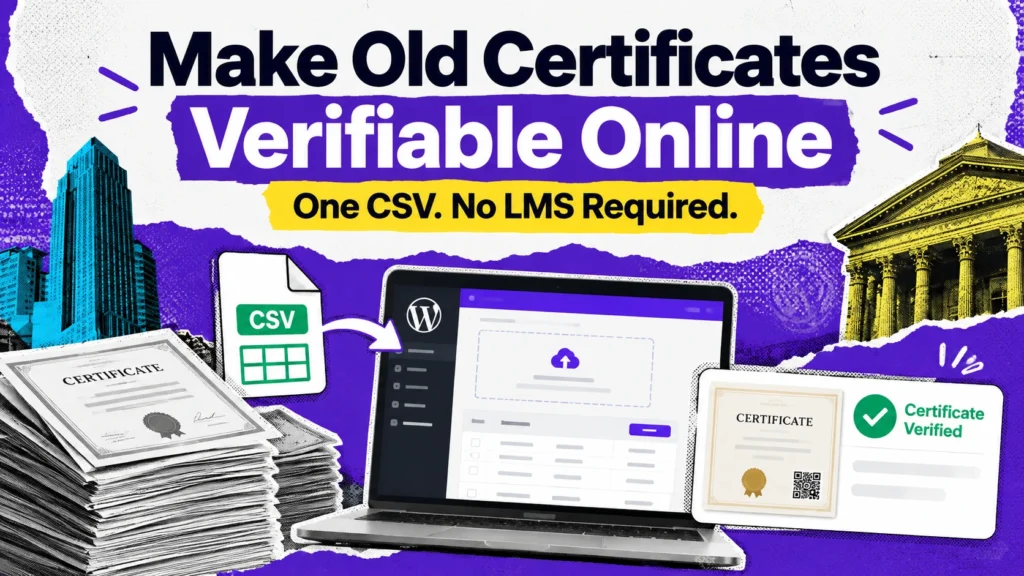
Sarah could upload her existing certificate data as a CSV, create a public verification page on the academy’s own website, and let learners or employers check a certificate using its unique code.
That was different from the other options she had been looking at.
She didn’t need to move her courses to an LMS.
She didn’t need to rebuild the certificates she had already issued.
And she didn’t need to start entering hundreds of records one by one.
Her existing spreadsheet could be the starting point.
Sarah also noticed that the free version included unlimited certificate records, CSV import and a public verification page, with no monthly certificate fees.
For the first time, the idea seemed straightforward enough to try.
She already had the certificates.
She already had the records.
She already had a WordPress website.
Maybe she didn’t need to replace anything.
Maybe she just needed a way to connect the records she already had with the people who needed to verify them.
That was the moment Sarah decided to give Edutain Certificate Validator a try.
If you’re new to certificate verification, read our blog on how to verify a certificate online to understand the different verification methods.
Could One CSV Really Make Her Old Certificates Verifiable?
Sarah was still a little sceptical.
The idea sounded simple, but she had hundreds of old certificate records. She didn’t want to spend days creating them again, one by one.
So she decided to test it with the records she already had.
Sarah Installed the Plugin on Her WordPress Site
Sarah already had a WordPress website for the academy, so she didn’t need to build a new website.
She logged into the WordPress dashboard, went to Plugins → Add New Plugin, searched for Edutain Certificate Validator, installed it and activated it.
That was it.
The certificate verification tools were now available inside the same WordPress website she was already using.
She hadn’t moved her courses.
She hadn’t changed how the academy operated.
She was simply adding certificate verification to the website she already had.
If you’re new to WordPress, the official plugin installation guide explains how to find, install and activate plugins.
She Prepared Her Existing Certificate Spreadsheet
Next came the part Sarah was most interested in.
Could she really use the spreadsheet she already had?
She checked her records and organised the information into the fields needed for the certificate records:
| Course Name | Student Name | Course Completion Date | Certificate Code |
| First Aid Training | James Walker | 12 May 2025 | FA-1028 |
| Fire Safety | Oliver Harris | 18 June 2025 | FS-2041 |
There was no need to recreate the certificates themselves.
Sarah was simply preparing the information that identified each certificate.
She checked the names, dates and certificate codes carefully. She also made sure that each certificate had its own unique code.
Once everything looked right, she was ready for the next step.
She Saved the Spreadsheet as a CSV
Sarah had been working with the records in her usual spreadsheet.
Now she saved the file as a CSV.
It was a small step, but it meant she could move all those existing certificate records into the verification system without entering them individually.
That was the part she hadn’t expected.
She had spent weeks thinking about how difficult it would be to set up verification for hundreds of certificates.
But her existing spreadsheet could already do most of the work.
She Imported Her Existing Certificate Records
Sarah opened the certificate management area in WordPress and uploaded the CSV file.
If you’re setting up certificate verification on your own WordPress website, follow the Edutain Certificate Validator documentation for guidance on configuring the plugin and managing certificate records.
Then she waited.
No typing each learner’s name.
No creating hundreds of records manually.
No rebuilding certificates that had already been issued.
The records from her spreadsheet were imported into the system.
For Sarah, this was the moment everything started to make sense.
The certificates were still the same certificates her learners had received.
The academy’s records were still the same records Sarah had been keeping.
The difference was that those records could now be used for online verification.
Her old certificate data was no longer sitting only in a spreadsheet. It was now connected to a verification system.
She Created a Public Verification Page
The final piece was giving people somewhere to actually check those certificates.
Edutain Certificate Validator creates a public Validate Certificate page on the WordPress website. A learner, employer or other visitor can enter the certificate code and check the record without needing access to the academy’s WordPress dashboard.
Sarah tested the page herself.
She entered one of the certificate codes from her spreadsheet.
The certificate record appeared.
She tried another.
It worked too.
Sarah now had something she hadn’t had before: a public place where someone could check whether a certificate had actually been issued by her academy.
And she hadn’t needed to replace her LMS, rebuild her certificates or manually enter hundreds of old records.
She had taken the certificate data she already had and turned it into something people could verify.
Sarah Tried the One Certificate That Started Everything
Sarah wanted to test the system with the certificate that had started this whole thing.
She found the learner’s certificate code in her records and opened the academy’s new verification page.
Then she entered the code.
She clicked Verify.
And there it was.
The learner’s name.
The course.
The completion date.
The certificate information.
Sarah checked the details against the original certificate.
Everything matched.
She sat back for a moment.
A few weeks earlier, that same certificate had led to an email asking her to confirm whether it was genuine. Sarah had needed to find the learner’s record, check the certificate number and reply manually.
Now the learner—or their employer—could check it directly online.
No email to Sarah.
No searching through the spreadsheet.
No waiting for someone at the academy to confirm it.
The certificate that had started the problem was now the first certificate Sarah had successfully verified online.
Then She Tested an Invalid Certificate Code
Sarah wasn’t finished testing it.
If the system could confirm a genuine certificate, she wanted to know what would happen when someone entered a certificate code that wasn’t in her records.
So she tried one.
She deliberately entered a code that didn’t exist.
Click.
This time, there was no matching certificate record.
Sarah tried another made-up code. Again, nothing came back as a valid certificate.
That was important.
Until then, Sarah had been thinking about verification mainly as a way to save time. But now she could see another side of it.
A PDF can be copied.
A name can be changed.
A certificate number can be printed on a document.
But the real question is whether that certificate code matches a record held by the organisation that issued it.
With Edutain Certificate Validator, the verification result is matched against the academy’s own certificate records stored in its WordPress database.
Sarah finally understood what had been missing from her old process.
She wasn’t asking people to simply look at a certificate and trust it.
She was giving them a way to check it against the academy’s own records.
And that made certificate verification much more meaningful.
The Next Verification Email Was Different
A few days later, another email arrived.
“Hi Sarah, my employer needs to verify my certificate.”
Sarah recognised the question immediately.
Normally, this would have meant opening the spreadsheet, finding the learner’s record, checking the certificate number and writing back.
But this time, she didn’t do any of that.
She simply replied with the link to the academy’s certificate verification page.
The learner could enter the certificate code themselves. Their employer could check it too.
No spreadsheet.
No searching through old emails.
No waiting for Sarah or her team to confirm the certificate.
Just the verification page.
Sarah realised that this was what she had been looking for all along.
The goal wasn’t to make certificate verification another task for her team.
It was to make verification something learners and employers could do for themselves.
Sarah Didn’t Stop With Her Old Certificates
Getting the old certificates into the system solved one problem.
But Sarah’s academy wasn’t going to stop issuing certificates.
Every month, new learners were completing courses and receiving certificates. Sarah didn’t want to end up with another spreadsheet full of records that weren’t connected to the verification system.
So from then on, new certificate records could be added as they were issued.
For a larger batch, Sarah could upload the records using CSV again. If she only needed to add one certificate, she could add the record individually instead.
That meant the verification system could grow with the academy rather than being something Sarah set up once and forgot about.
Then Sarah noticed another option.
Some of her learners printed their certificates. Others kept them as PDFs. She started thinking about how much easier verification would be if someone could simply scan a code on the certificate instead of typing the certificate number.
That’s where QR-code verification became useful.
With the Pro version of Edutain Certificate Validator, Sarah could generate a unique QR code for each certificate. When someone scans it, the QR code takes them directly to that certificate’s verification result.
So instead of telling an employer:
“Go to our website and enter this certificate code.”
Sarah could give them a certificate with a QR code they could scan.
The process was becoming much simpler.
Old certificates could be imported.
New certificates could be added.
Learners could share verification links.
And, when needed, a QR code could take someone straight from the certificate to its online verification result.
Sarah wasn’t just fixing the problem that had started with one verification email.
She had finally put a system in place for the certificates she would issue next, too.
What Sarah Actually Changed
When Sarah looked back at how certificate verification worked before, the difference was surprisingly simple.
Before
Certificate issued
↓
Learner receives PDF
↓
Employer wants to verify it
↓
Learner contacts Sarah
↓
Sarah searches the records
↓
Sarah confirms the certificate manually
It worked, but every verification request depended on someone at the academy.
After
Certificate issued
↓
Certificate record is added to the verification system
↓
Learner or employer enters the certificate code
↓
The certificate record is displayed
↓
Verification is done online
The biggest change wasn’t the certificates themselves.
Sarah didn’t change how she ran her courses. She didn’t replace her website or move everything to a new learning platform.
She simply added a way for people to verify the certificates her academy was already issuing.
Sarah didn’t replace her training business. She added a verification layer to what she already had.
Do You Have the Same Problem as Sarah?
Maybe Sarah’s situation sounds familiar.
Perhaps you run a training academy and have years of certificate records stored in Excel.
Or you’re a course creator issuing certificates to learners after they complete your programmes.
Maybe you provide CPD training, run a coaching academy, organise professional workshops or deliver corporate training.
You might even be part of a professional association that issues certificates to members.
In each case, the situation can be much the same.
You issue the certificate.
You keep a record of it.
Then, weeks or months later, someone asks:
“How can my employer verify this?”
And suddenly, someone on your team has to find the old record and confirm it manually.
If your certificate records are sitting in Excel or Google Sheets, you may already have most of the information you need.
The names are there.
The courses are there.
The dates are there.
The certificate numbers are there.
What may be missing is simply a way to turn those existing records into a certificate verification system that learners, employers and other third parties can access when they need to check a certificate.
And that is exactly where Sarah’s story takes a different turn.
How to Make Your Existing Certificates Verifiable
By this point, Sarah had already discovered that she didn’t need to replace her certificates or move her academy to another platform.
She just needed to connect the certificate records she already had with an online verification process.
The setup was simpler than she had expected.
1. Start With WordPress
Sarah already had a WordPress website for her academy, so there was no need to build a separate verification website.
She installed and activated Edutain Certificate Validator from the WordPress dashboard.
Once activated, the plugin added the certificate management tools to WordPress and automatically created a public Validate Certificate page.
2. Prepare the Existing Certificate Records
Sarah went back to the spreadsheet containing her old certificate records.
For the standard certificate records, she organised the information into four main fields:
- Course Name
- Student Name
- Course Completion Date
- Certificate Code
The columns could be arranged in any order, as long as the required information was included. Sarah also checked that each certificate code was unique.
3. Save the Spreadsheet as a CSV
Sarah was working with a normal spreadsheet, but the records needed to be uploaded as a CSV file.
So she exported the spreadsheet as CSV and gave the file one final check before uploading it.
4. Import the Existing Certificates
This was the part Sarah had been hoping would work.
Instead of entering hundreds of certificates one at a time, she uploaded the CSV through the plugin’s Data Management area.
The records were imported into the certificate verification system.
For Sarah, that meant the old certificates she had already issued could now be part of the same online verification system without recreating every record manually. Multiple CSV files can also be uploaded as the certificate database grows.
If she only needed to add one certificate later, she could also add an individual record manually rather than preparing another CSV.
5. Check the Verification Page
Sarah didn’t have to build a verification system from scratch.
The plugin had already created the Validate Certificate page for her. She could use that page as the public checking point, or place the verification form on another WordPress page using the plugin’s shortcode.
6. Test a Certificate
Before sharing the page with anyone, Sarah tested one of her own certificate codes.
She entered the code.
The certificate record appeared.
That was the confirmation she needed.
Her old spreadsheet had become something much more useful: a collection of records that learners and employers could check online.
7. Share the Verification Access
From there, Sarah could give learners the certificate code or share a direct verification link.
An employer no longer needed to email the academy just to ask whether a certificate was genuine. They could go to the verification page, enter the code and check the record themselves.
And that was really the whole process:
WordPress → Install EDCV → Prepare existing records → Export as CSV → Import → Verify a certificate → Share the verification page
Sarah had spent weeks thinking she needed a completely new system.
In reality, she already had most of what she needed.
She just needed to make her existing certificate records verifiable.
Frequently Asked Questions
Can I make old certificates verifiable online?
Yes. If you already have records of certificates you have issued, you can import those records into Edutain Certificate Validator using a CSV file. You don’t need to recreate every certificate from scratch.
Can I create certificate verification without an LMS?
Yes. You don’t need an LMS just to provide certificate verification. Edutain Certificate Validator works with WordPress, allowing you to add certificate verification to an existing website without moving your courses to another platform.
Can I import certificate records from a CSV file?
Yes. You can prepare your existing certificate records in a spreadsheet, save the file as CSV and import the records in bulk. This can be much quicker than adding hundreds of certificates individually.
Can employers verify certificates on my website?
Yes. You can provide a public certificate verification page on your WordPress website. An employer or other third party can enter the certificate code and check the corresponding certificate record.
Can certificates be verified using QR codes?
Yes. QR-code verification is available with the Pro version of Edutain Certificate Validator. A QR code can be added to a certificate so that someone can scan it and go directly to its verification result.
Do I need to recreate my existing certificates?
No. Your existing PDF certificates don’t need to be recreated simply to make them verifiable. The important part is having the relevant certificate records, such as the learner’s name, course, completion date and certificate code, so they can be added to the verification system.
Can I build a certificate verification system with WordPress?
Yes. WordPress can be used to host your certificate verification system. With Edutain Certificate Validator, you can install the plugin on your existing WordPress website, add or import certificate records and provide a public page where certificates can be checked.
The key advantage is that you don’t have to rebuild your entire training setup just to add certificate verification.
Sarah Already Had What She Needed
Looking back, Sarah realised that she had spent a lot of time looking for something she didn’t actually need.
She thought she might need a new platform.
Maybe a developer.
Maybe an entirely new certificate system.
But she already had most of it.
Her academy already had a website.
Her spreadsheet already contained the certificate records.
Her certificates had already been issued to hundreds of learners.
The problem was that all of that information was sitting separately from the people who needed to verify it.
What was missing was the connection between the certificate records and the people trying to check them.
Once Sarah found a way to import those existing records and make them available for online verification, the process changed.
One CSV upload helped bring her old certificate records into the system.
New certificates could be added as the academy continued issuing them.
Learners could verify their certificates.
Employers could check them.
And Sarah’s team no longer had to answer the same verification question every time someone needed proof.
The certificates hadn’t changed.
Her courses hadn’t changed.
Her business hadn’t changed.
The verification process had.
And that was the lesson Sarah took away from the whole experience.
Sometimes, you don’t need to replace everything you already have.
You just need to find a better way to use what is already there.
Have Certificate Records Sitting in a Spreadsheet?
If you’re issuing certificates and your records are sitting in Excel or Google Sheets, you may not need to start from scratch.
With Edutain Certificate Validator, you can turn your existing certificate records into an online verification system on your own WordPress website — without moving your courses to an LMS.

Tamim is a digital marketing professional who enjoys learning about online education and new digital technologies. He writes about digital tools, certifications, marketing, and simple ways businesses and educators can improve their online presence.